When selecting an industrial keypad * for a kiosk or self-service terminal, the right decision can make a huge impact on user experience and robust, long-term quality. From an ATM to a parking payment station to a self-check-in system at an airport, these keypads are touched by people every day — in many cases, under less than perfect conditions. That’s why the design needs to be robust, user-friendly and capable of withstanding constant use, the weather and potentially even vandalism. Choose the wrong keypad, and you may experience downtime, irritated users, and expensive replacement/repair. This guide walks you through what to consider in order to make a wise, enduring decision.
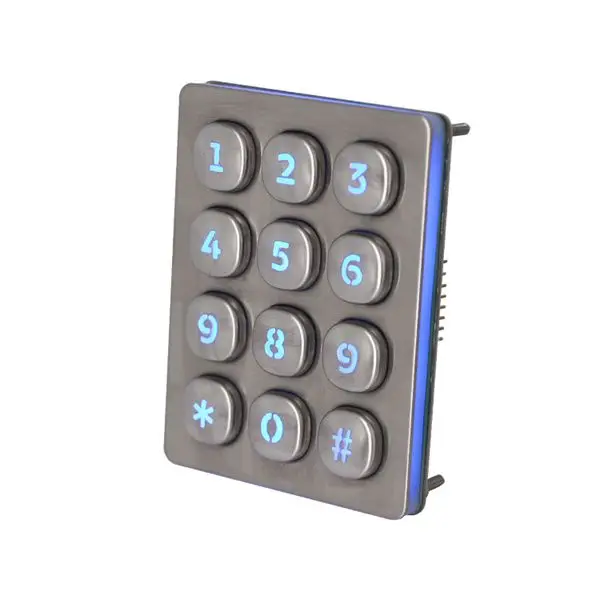
Vandal Resistance: Essential for Public-Facing Kiosks.
The kiosks and self-serve terminals found in public spaces are exposed to all modes of use — and sometimes, misuse. Which explains why vandal resistance should rank high when choosing an industrial keypad for such applications. If your unit is located in a train station, gas station, or outdoor ticket machine, it’s going to be handled roughly. Some people may be especially rough with the keys — pounding on them, using sharp objects or even trying to force them off. A vandal-resistant keypad discourages this type of behavior and maintains system performance.
Consider keypads constructed of tough materials, such as stainless steel. This metal is not only durable; it also holds its own against rust and weather elements. A lot of vandal-proof keypads use a solid metal housing and recessed keys, making it harder for someone to damage or tamper with them. Some models are also tested to the IK standard, which is an international classification for the degrees of protection provided by enclosures for electrical equipment (IK10-rated keypads can take the punishment of a 5kg object being dropped from 40cm).
In use within the field, a public parking machine in Manila claims it experienced a 70% reduction in maintenance calls after replacing a standard keypad with a vandal-resistant stainless steel version. Until recently, they had been having to change the plastic keypad every few months because the keys would crack or there would be damage inside.
Another consideration is whether keys are two point mountings. If they’re fixed in place with an antipull feature or encased in a protective bezel, it’s far more difficult for someone to wrench them out. It’s also nice if the keypad is flush as well, which makes it tough to get a grip on or tamper with the key pad.
By centering on vandal resistance, you extend the life of your equipment, minimize downtime, save on repairs and make every user that steps up to your kiosk experience the premium product your company desires.
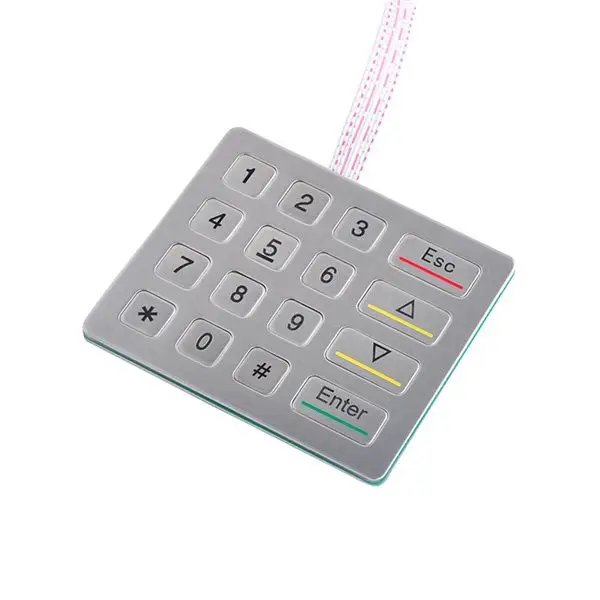
Usability: Backlighting, Clear Labeling, Tactile Feedback.
Usability is one of the biggest concerns for how well a keypad works, particularly for public kiosks and self-serve units. If a keypad can’t be quickly seen or understood, users are more likely to walk away frustrated—or worse—make input errors that slow down service. That’s why things like backlighting, clear labels, and tactile feedback are not only “nice to have” but absolutely necessary.
Fluorescent lighting allows users to locate and operate the keypad under low-light conditions. Consider outdoor ATMs at night, parking meters in underground garages or kiosks during rainy or overcast days. Still, people may hunt and peck or simply throw down their cards without backlit keys. Its soft white or dimmable backlit provides readability that doesn’t hurt your eyes.
Clear labeling is equally important. The symbols and text on each key should be bold, clear and not easily worn away. A touch keyboard where the letters or numbers might rub off over time is going to wear out quickly. Laser-etched characters are a fine option — they won’t fade, even after thousands of hits. If there’s one with universal icons, or which supports multiple languages, that’s something to look for in high-traffic or diverse-user environments right there.
Tactile feedback ensures users can touch-type that is, feel each key press. It can be used when confirmation with sound may not be possible, in noisy environments, or under clothing. A good tactile response is a tiny click or snap under the finger. It acknowledges the action and prevents double pressing as well. One real-world use case: a train ticket kiosk that implemented tactile keypads experienced a 25% reduction in user reports of error within three months of launch.
All of these elements combined make it faster, easier and more intuitive to use the kiosk for all people — from first-time users to frequent transacters. They also alleviate confusion and service interruptions, keeping lines moving and customers smiling.
Mounting Options: Surface, Rear, Flush for Kiosk Integration.
When it comes to installing a keypad in a kiosk or self-service terminal, how it mounts is just as important as how it performs. Selecting the correct mounting is essential to the install so that the keypad feels tight, clean and that it works as intended within the terminal design. You will find that there are 3 varieties of flush mounts to select from: base mount, rear mount, and surface mount. Each of these has its advantages and uses, depending on the kiosk design and the environment in which the kiosk will be produced.
Surface keypads mount into the kiosk panel right in the front. This is a relatively easy and sometimes inexpensive option to put in place. It’s an excellent choice when you want easy access to the keyboard’s internal components quickly or when retrofitting existing terminals. But if improperly designed, the keypad can be more vulnerable to tampering with surface mounting.
Rear mounted keypanels are mounted from the back of the panel, only heads on the front. In addition to looking cleaner, this arrangement is often more secure in that the keypad can’t be easily popped off from the outside. It’s perfect for in-store kiosks, ticket machines and terminals that are in sensitive areas. Rear mount also decreases the screws of water or dirt getting behind the unit if adequately sealed.
The keypads lay flat in the kiosk surface and are level with the top surface. This gives a clean, contemporary appearance and this is often a popular choice for high-end or space efficient designs. Flush keypads are also simpler to wipe down and harder to vandalize because of the lack of edges or gaps to force open. An international fast-food chain in Singapore replaced the switches on their ordering kiosk with flush-mounted keypads and found a significant reduction in damages as well as clean-up time.
Before making your selection based on mounting type, consider your kiosk’s design, user access, and environment. The more robustly a keypad is mounted, the more attractive the terminal’s fit, finish, and appearance are going to be, they stated.
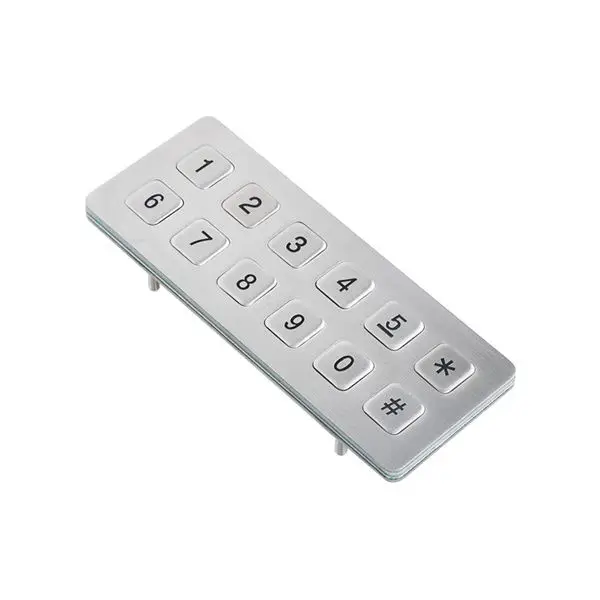
Material Choices: Metal (Stainless, Brushed) for Durability & Aesthetics.
What material you use for an industrial keypad is huge part of how long it lasts and how it looks. When it comes to kiosks and self-service machines, metal keypads especially stainless steel or brushed metal are the front-runners. These are good materials which combine a high level of toughness with weather resistance and good looks.
High-traffic and outdoor kiosks are often made from stainless steel. It can withstand harsh weather, constant use and even vandalism. It won’t rust or corrode easily, which is particularly useful in humid climates or near the sea. Stainless steel keypads also look and feel clean and modern, and they can be found on things ranging from parking machines to airport check-in kiosks.
Brushed metal is less reflective than polished stainless steel. It’s more resistant to fingerprint wear and minor scraping, which should help the keypad look cleaner longer. That makes it suitable for indoor terminals where appearance is important such as self-service checkouts in retail stores or interactive directories in office buildings. They are not as rugged as stainless steel keypads, but brushed keypads still provide a good amount of protection, as well as good looks.
A case in point is a shopping mall in Kuala Lumpur that replaced its digital directories’ plastic keypads with brushed stainless ones. Not only were the keypads more durable under heavy daily use, but also the more stylish appearance blended better with the mall’s modern interior.
Regardless of the metallic color you decide on, ensure the keypad is sealing and industrial in design. Not only does metal tend to be a little more expensive initially, but it also saving you money long term because metal doesn’t need as much replacing, cleaning, and repairing plus, it will make your kiosk look nicer and more stable.